Home / Components / Black Friday Popup
Black Friday Popup: A Coupon Popup for Framer
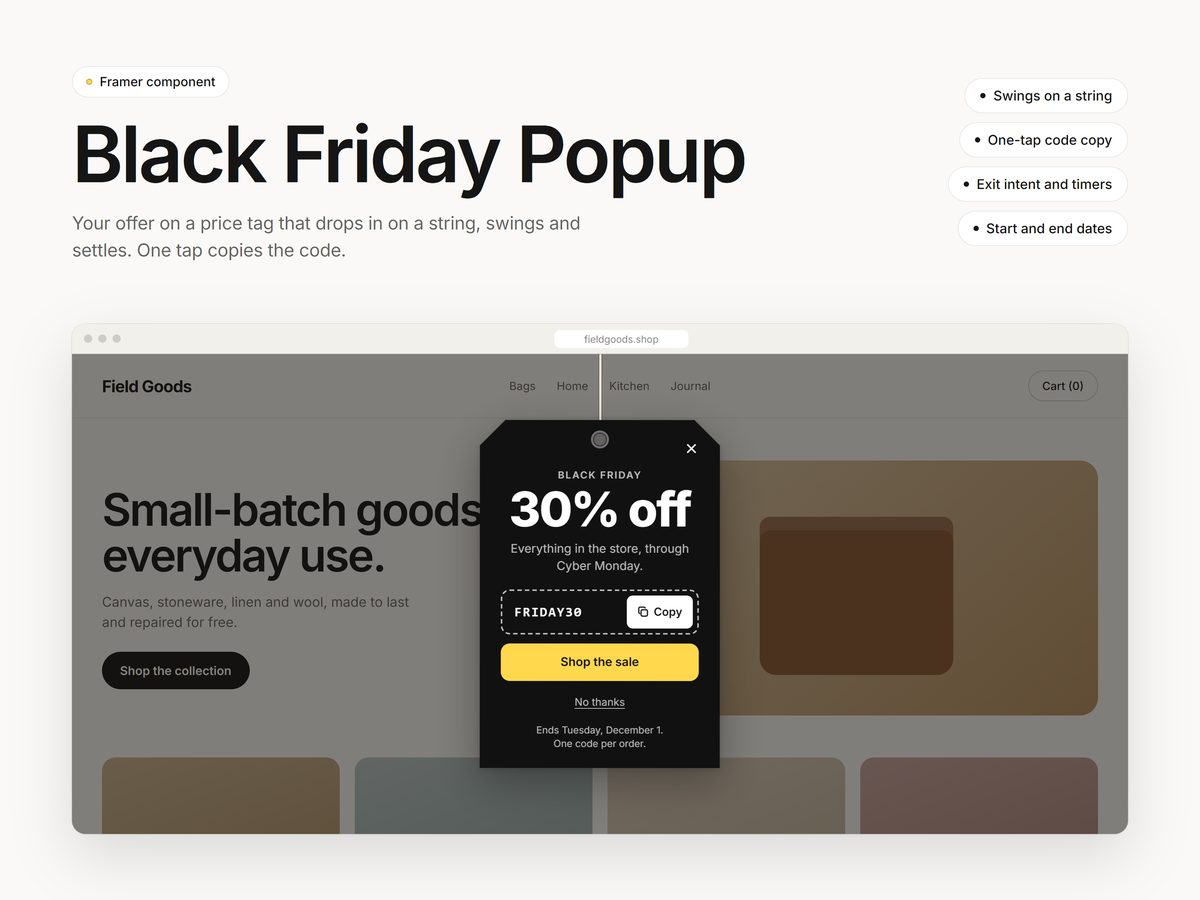
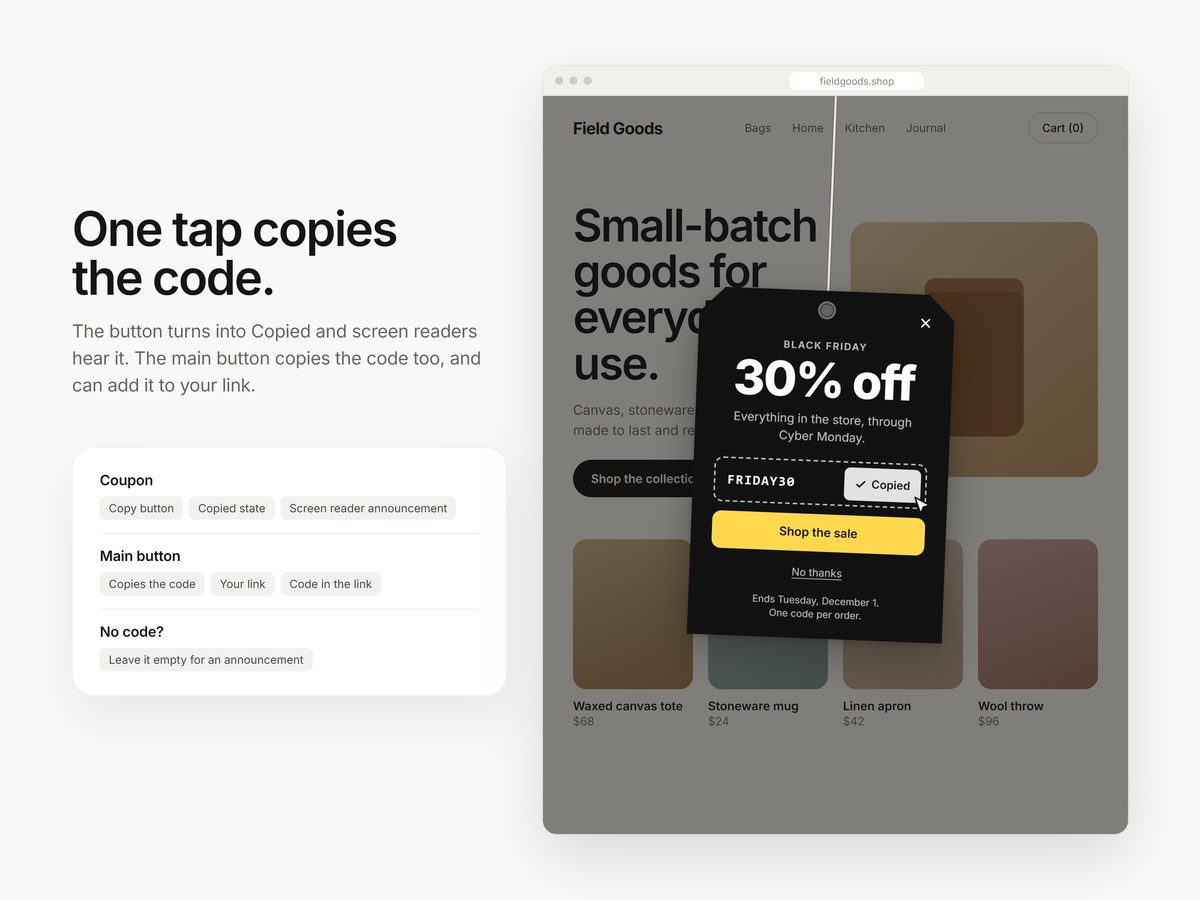
Your holiday offer on a price tag that drops in on a string, swings and settles. Visitors copy the coupon code in one tap, and after they close it, a small tag in the corner brings it back.
$12One-time purchase
Updated October 30, 2026 · Questions: info@shashankthigale.com
About
What Black Friday Popup does
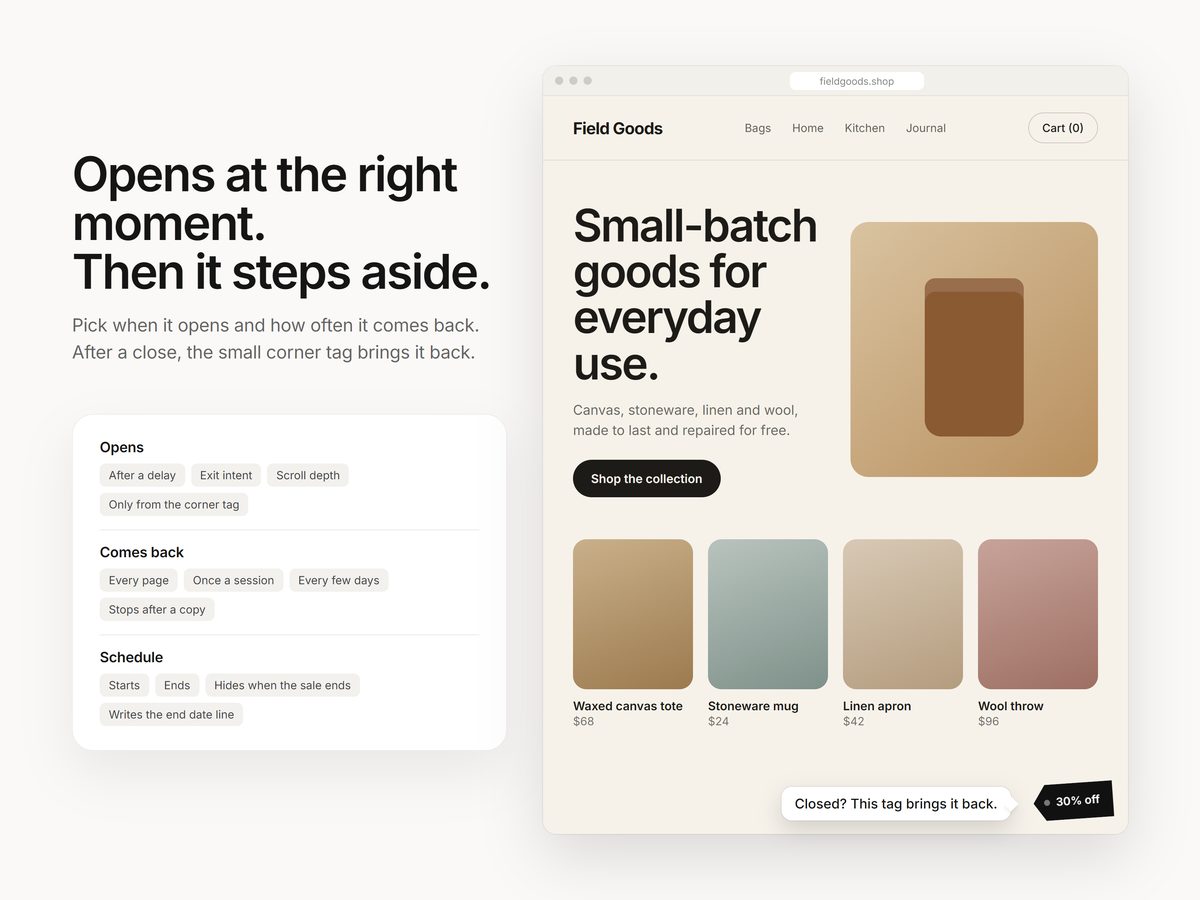
Pick when it opens: after a delay, on exit intent on desktop and phones, at a scroll depth, or only when someone clicks the corner tag. It remembers visitors, so it can show once a session or every few days, and it stops once someone copies the code.
Set start and end dates and it hides itself when the sale is over, with an end date line written for you. Leave the code empty to use it as a plain announcement.
Settings
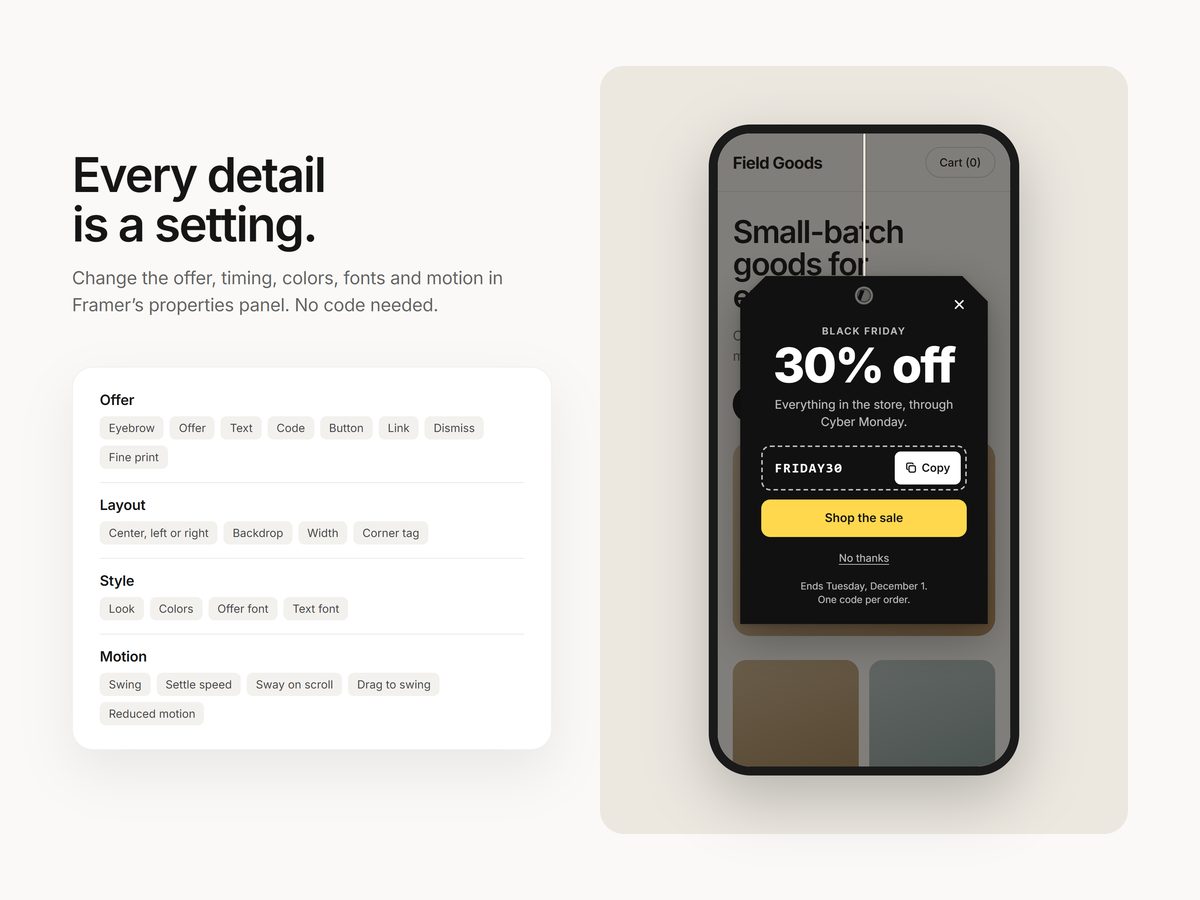
Everything is a setting
- Opens after a delay, on exit intent (desktop and phone), at a scroll depth, or only from the corner tag
- A Copy button with a Copied state that screen readers announce. The main button copies the code too, and can add it to your link.
- Shows on every page, once a session or every few days, and stops after a copy
- Start and end dates, with an automatic end date line
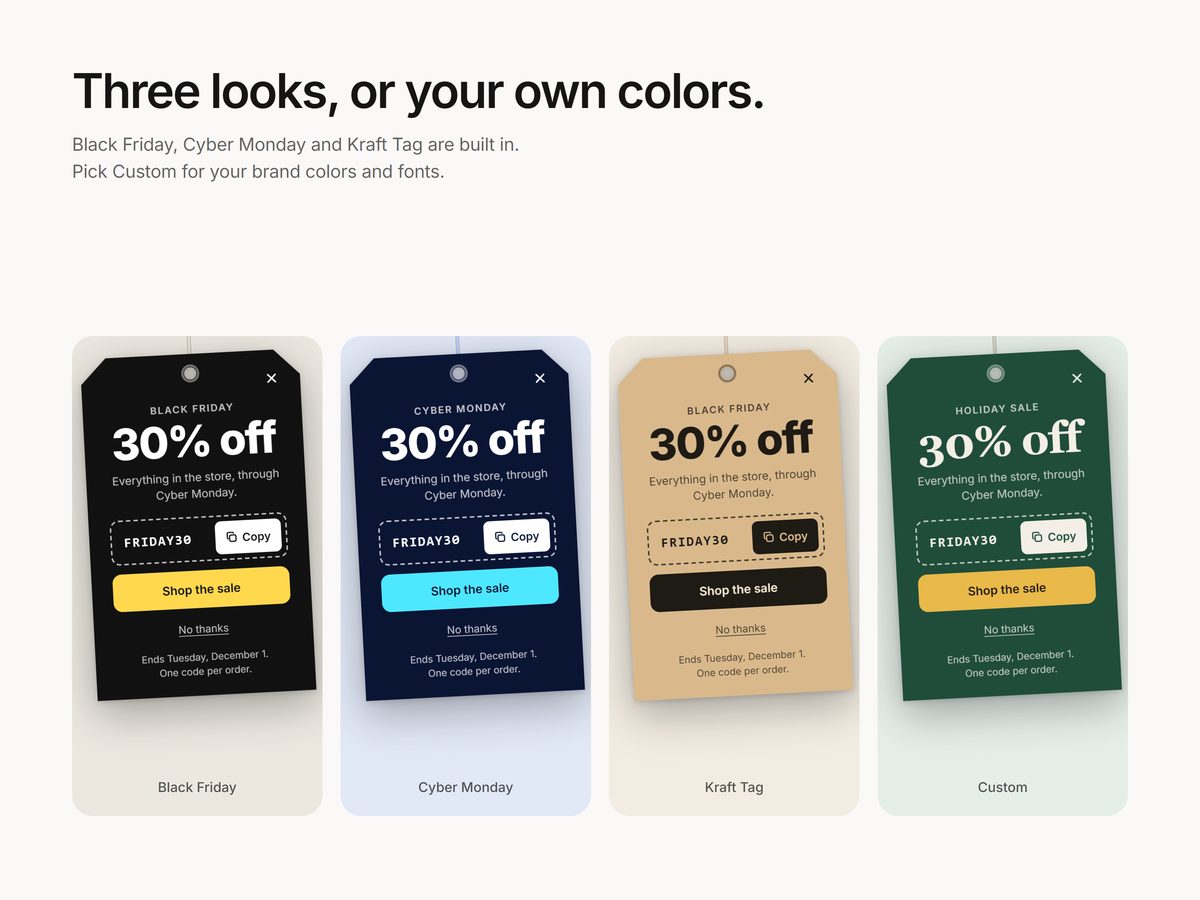
- Black Friday, Cyber Monday and Kraft Tag looks, or your own colors and fonts
- Hangs from the center, left or right, with or without a backdrop. Visitors can drag the tag to swing it.
- Keyboard friendly (Esc closes it, focus stays inside), 44 px tap targets, and no motion for visitors who turn motion off
Screenshots
A closer look
Details
At a glance
| Type | Framer code component |
|---|---|
| Settings | All in the properties panel |
| Works with | Mouse, touch and keyboard |
| Delivery | Instant link to add it to any Framer project |
| License | Any number of your own or client projects |
| Last updated | October 30, 2026 |
FAQ
Questions
How do I add it to my site?
After checkout you get a link on screen and by email. Copy it, paste it onto your Framer canvas, and the component appears with all its settings in the properties panel. No code needed.
Can I use it in client projects?
Yes. Components can be used in any number of your own or client projects. Reselling or sharing the component or its link isn't allowed.
Does it work on phones and with a keyboard?
Yes. It fits phones, opens on a fast scroll back up as the phone version of exit intent, works with a keyboard (Esc closes it and focus stays inside), and appears without motion for visitors who turn motion off.
Will it annoy my visitors?
You decide how often it shows: every page, once a session or every few days, and it stops for anyone who copied the code. After a visitor closes it, only a small tag stays in the corner.
What if something doesn't work?
Email info@shashankthigale.com and I'll fix it. If it doesn't work as described and I can't fix it, you get a full refund within 14 days of purchase. The refund policy has the details.
More