Home / Components / Pricing Toggle Pro
Pricing Toggle Pro: A Pricing Section for Framer
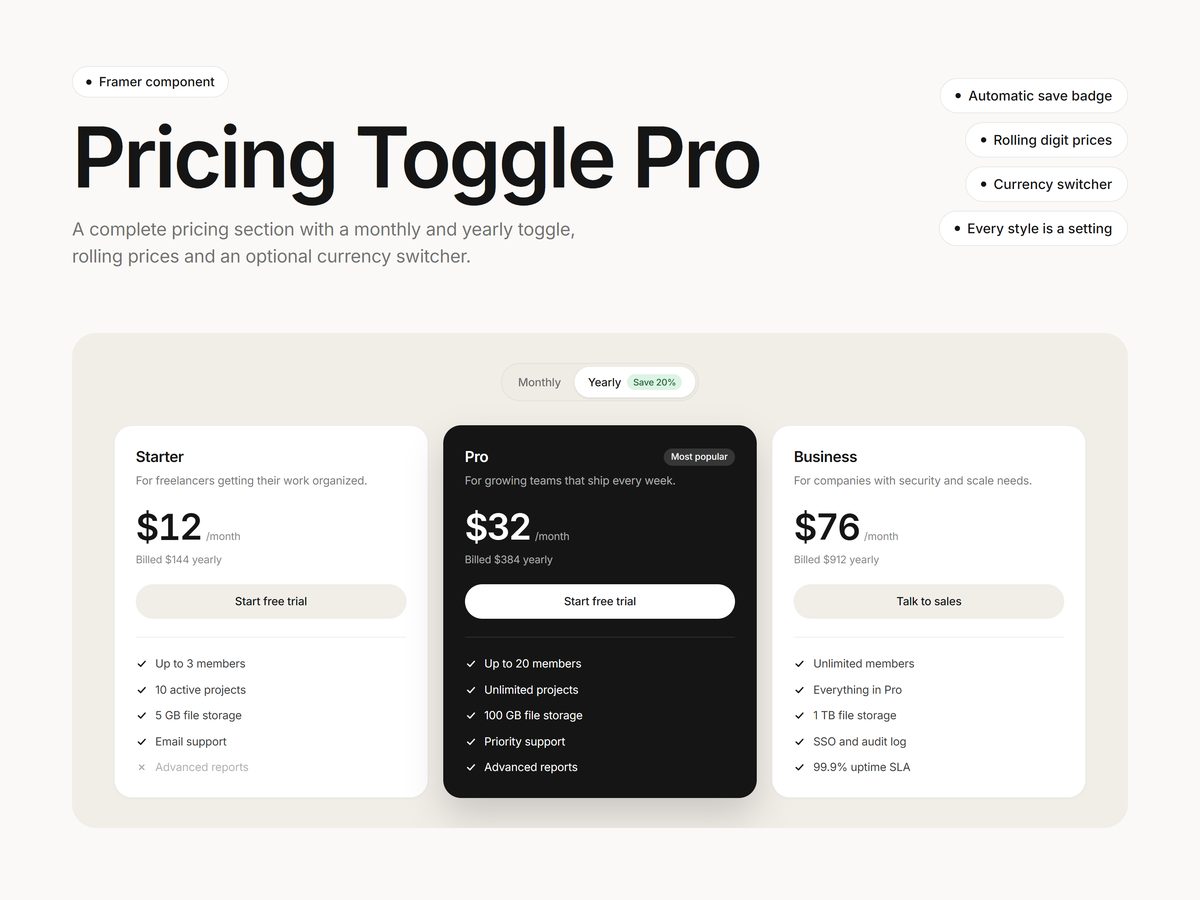
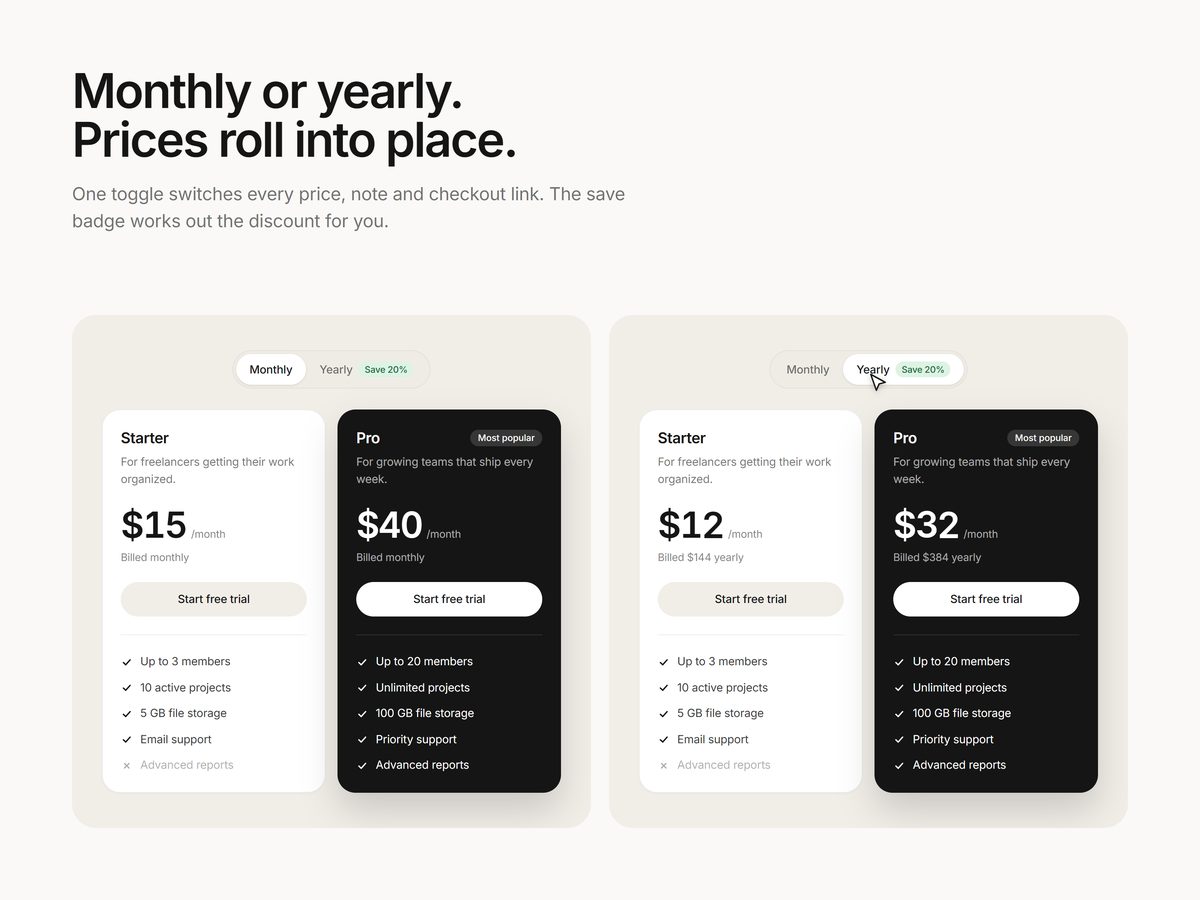
A complete pricing section for Framer. Visitors switch between monthly and yearly billing, and every price rolls into place with its notes and checkout links.
$12One-time purchase
Updated October 23, 2026 · Questions: info@shashankthigale.com
About
What Pricing Toggle Pro does
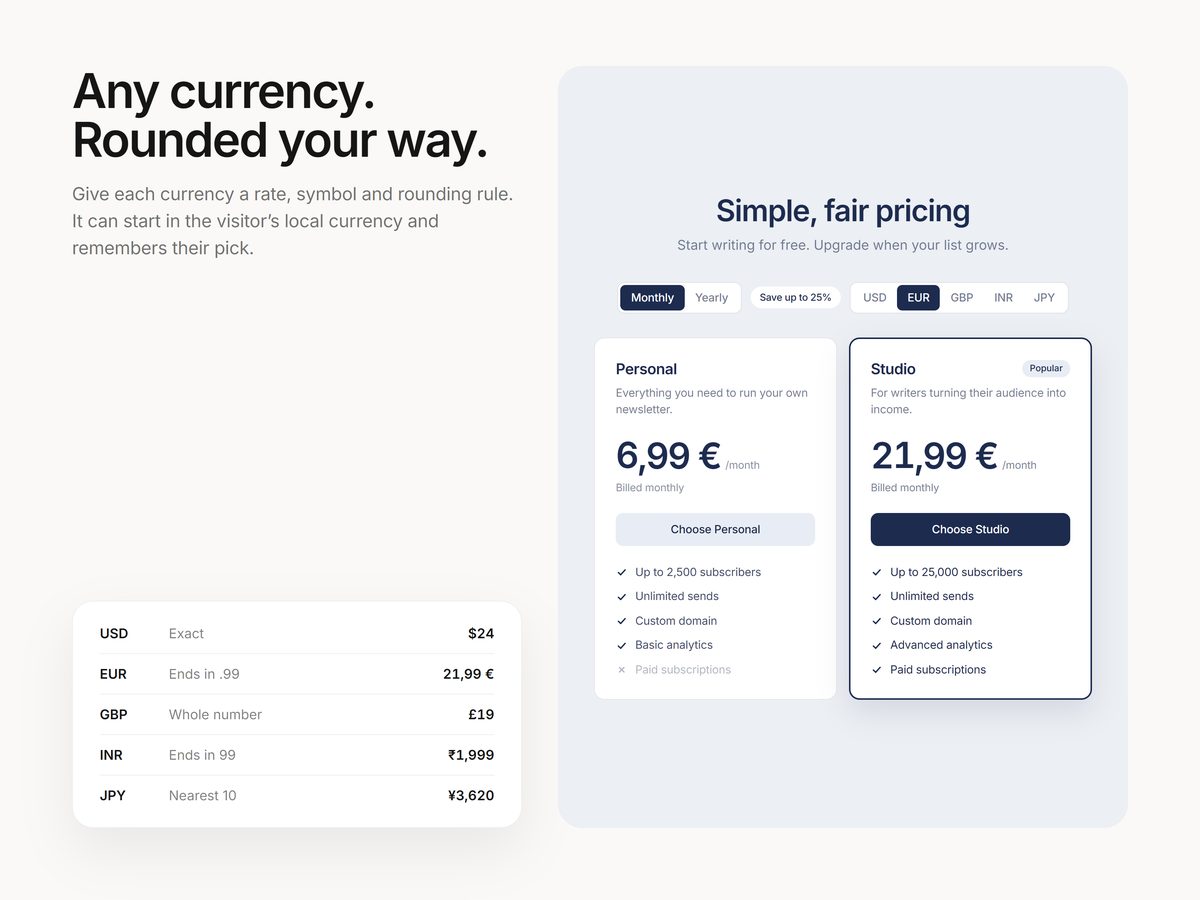
Give each plan its monthly and yearly price and the component works out the Save badge for you. Monthly and yearly can go to different checkout links, and an optional currency switcher converts prices with your own rates and rounding rules.
It shows the starting prices as soon as the page loads, so nothing jumps, and the cards line up row by row from 3 columns down to 1 on phones.
Settings
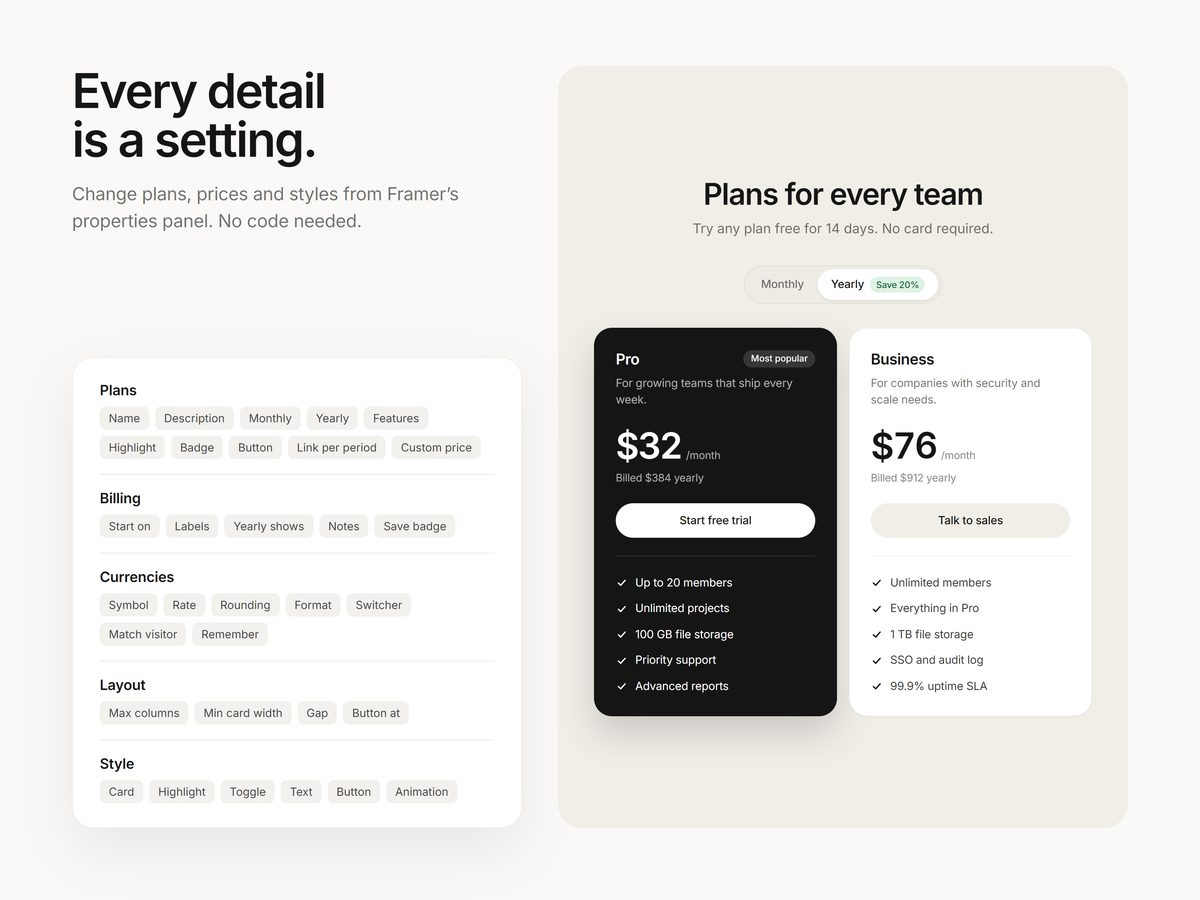
Everything is a setting
- A monthly and yearly toggle with an automatic Save badge, worked out from your plans
- A different button label and link for each billing period
- A Most popular highlight, and a custom plan with no price for Talk to sales
- Feature lists with included items, not-included items and small headings
- An optional currency switcher: a rate, symbol and rounding rule for each currency (exact, whole numbers, .99 endings and more). It can start in the visitor's local currency and remembers their pick.
- Cards that line up row by row, stepping down from 3 columns to 1 on phones
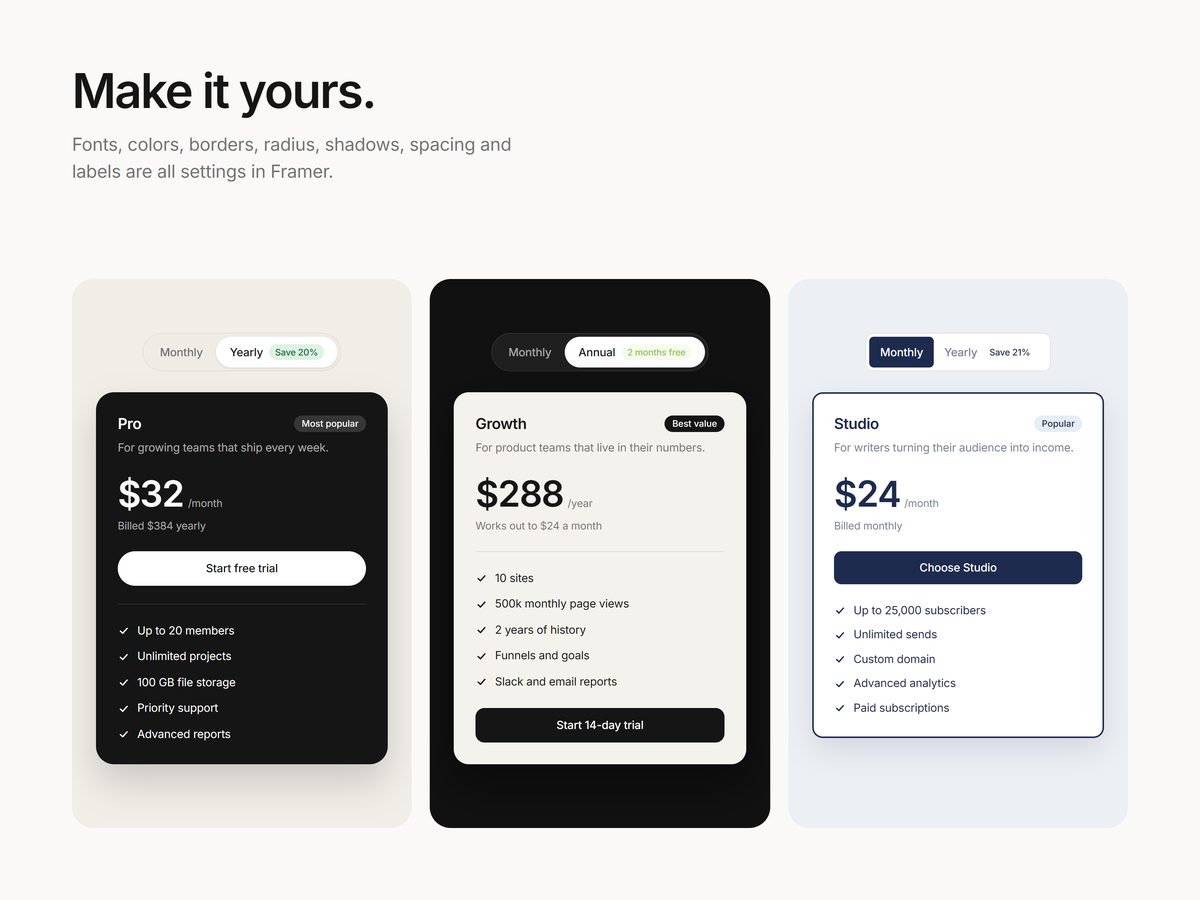
- Fonts, colors, borders, radius, shadows, spacing, the toggle and the buttons are all settings
Screenshots
A closer look
Details
At a glance
| Type | Framer code component |
|---|---|
| Settings | All in the properties panel |
| Works with | Mouse, touch and keyboard |
| Delivery | Instant link to add it to any Framer project |
| License | Any number of your own or client projects |
| Last updated | October 23, 2026 |
FAQ
Questions
How do I add it to my site?
After checkout you get a link on screen and by email. Copy it, paste it onto your Framer canvas, and the component appears with all its settings in the properties panel. No code needed.
Can I use it in client projects?
Yes. Components can be used in any number of your own or client projects. Reselling or sharing the component or its link isn't allowed.
Does it work on phones and with a keyboard?
Yes. It responds to taps on phones, can be used with a keyboard, and respects the reduced motion setting. It also pauses when it's off screen.
What if something doesn't work?
Email info@shashankthigale.com and I'll fix it. If it doesn't work as described and I can't fix it, you get a full refund within 14 days of purchase. The refund policy has the details.
More