Home / Components / Black Friday Sale Bar
Framer Black Friday Sale Bar: A Coupon Bar With an Honest Countdown
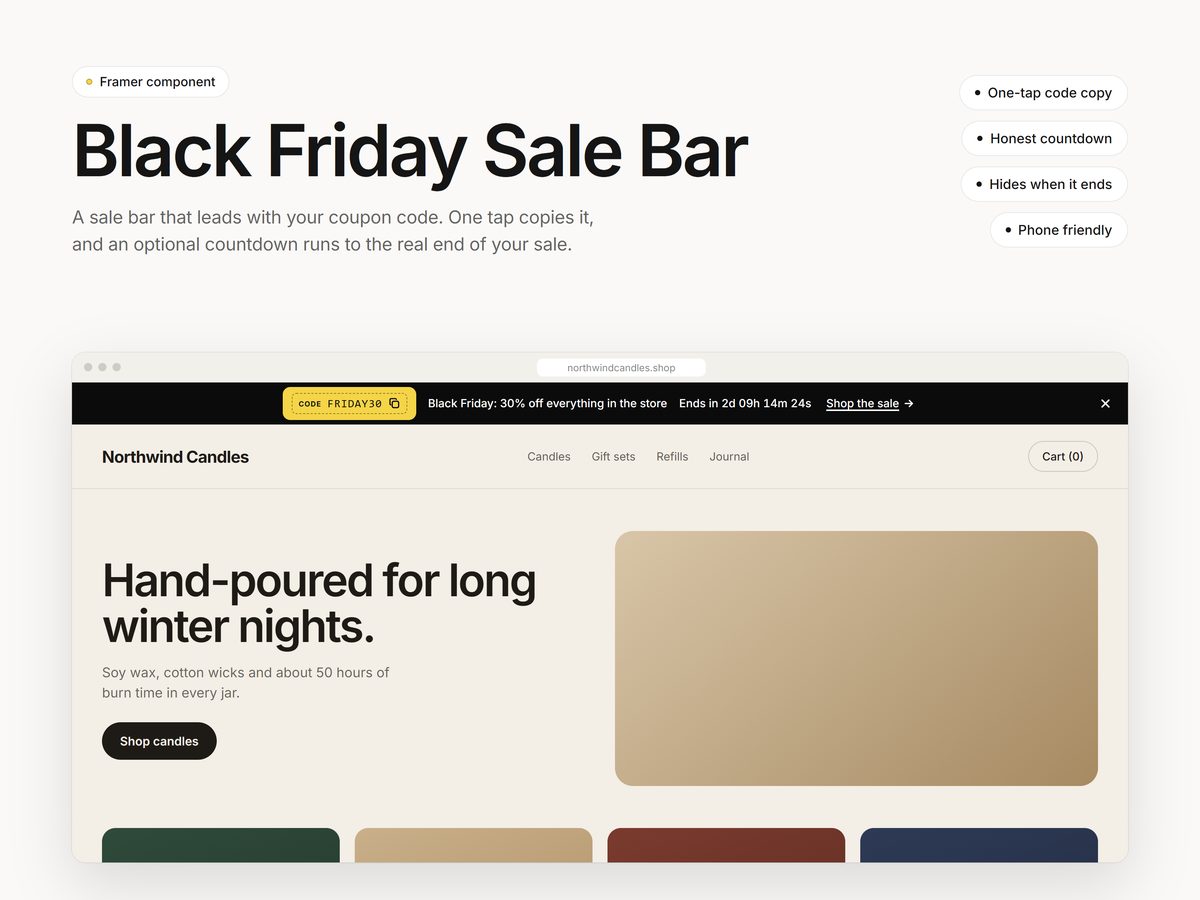
A sale bar for the top of your site that leads with your coupon code. Visitors copy it in one tap, and an optional countdown runs to the real end of your sale.
$10One-time purchase
Get it in the Holiday Sale Kit with the Black Friday Popup and Holiday Popup, $15 for all three
Updated November 25, 2026 · Questions: info@shashankthigale.com
About
What Black Friday Sale Bar does
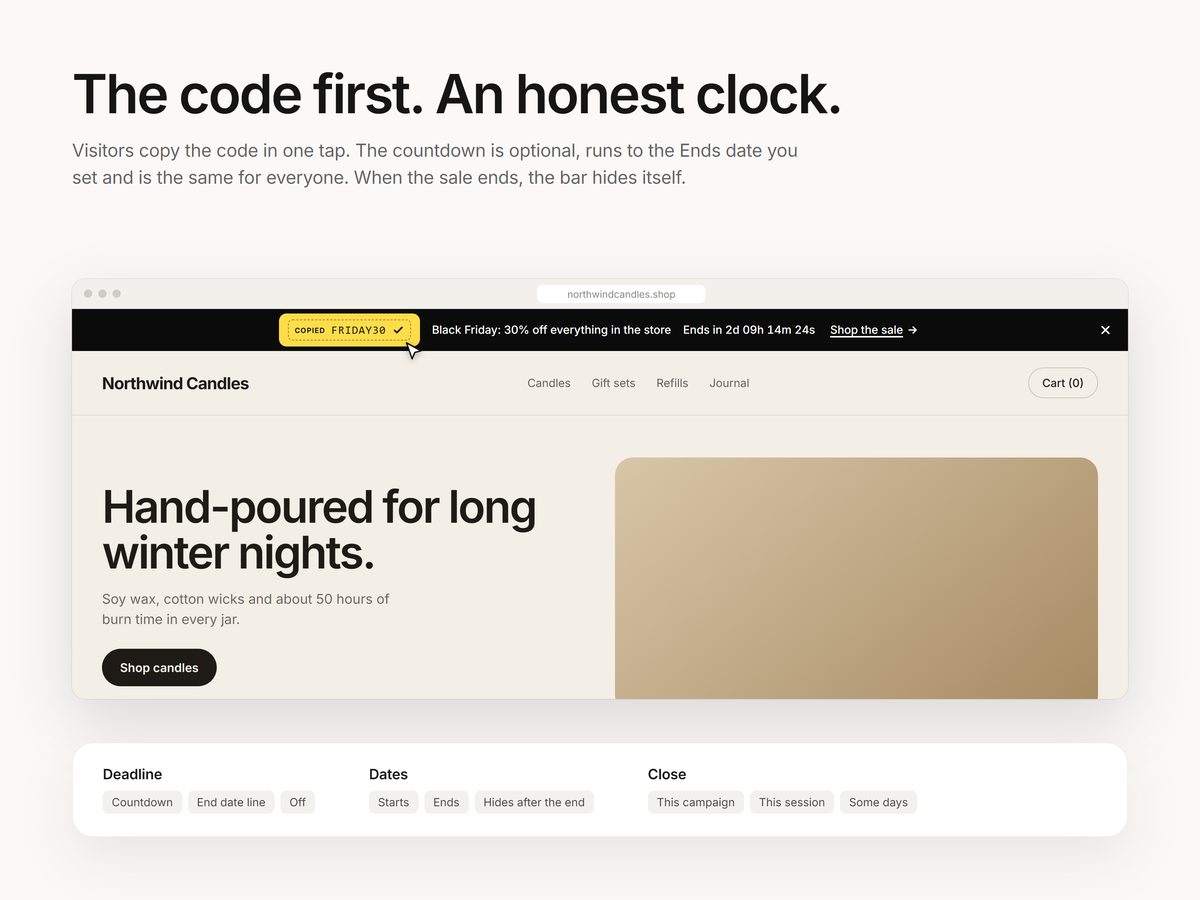
The coupon code comes first. One tap copies it, and a link takes visitors to the sale. Add a countdown, an end date line or neither: the countdown runs to the Ends date you set, the same for every visitor, and never resets.
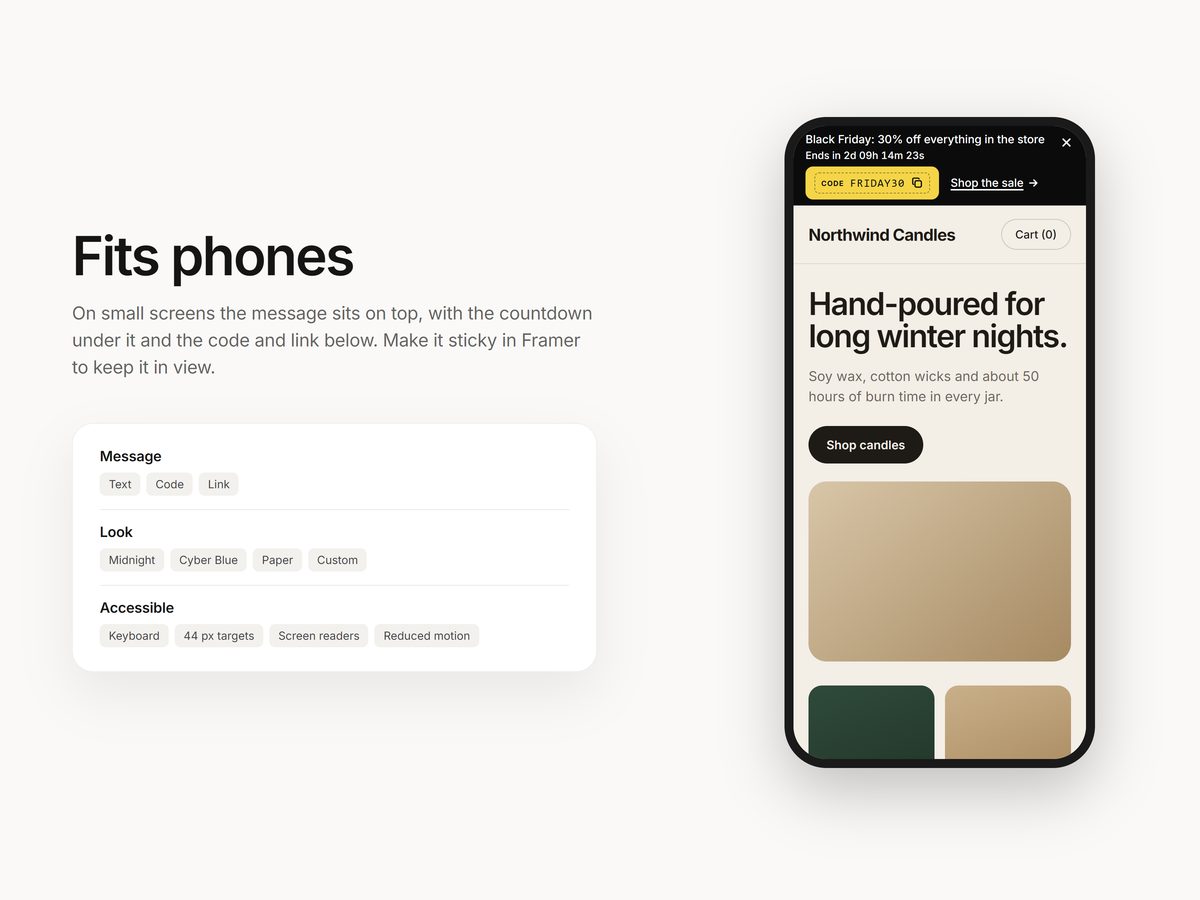
Set start and end dates and the bar hides itself before the sale and the moment it ends. A close button remembers each visitor, and on phones the message sits on top with the code and link below it.
Settings
Everything is a setting
- A coupon chip that copies the code in one tap, with a Copied state that screen readers announce
- A countdown, an end date line (like “Ends Monday, November 30”) or neither. The countdown never resets.
- Start and end dates. The bar hides itself before the sale starts and the moment it ends.
- A close button that remembers the visitor for the whole campaign, for the session or for a few days
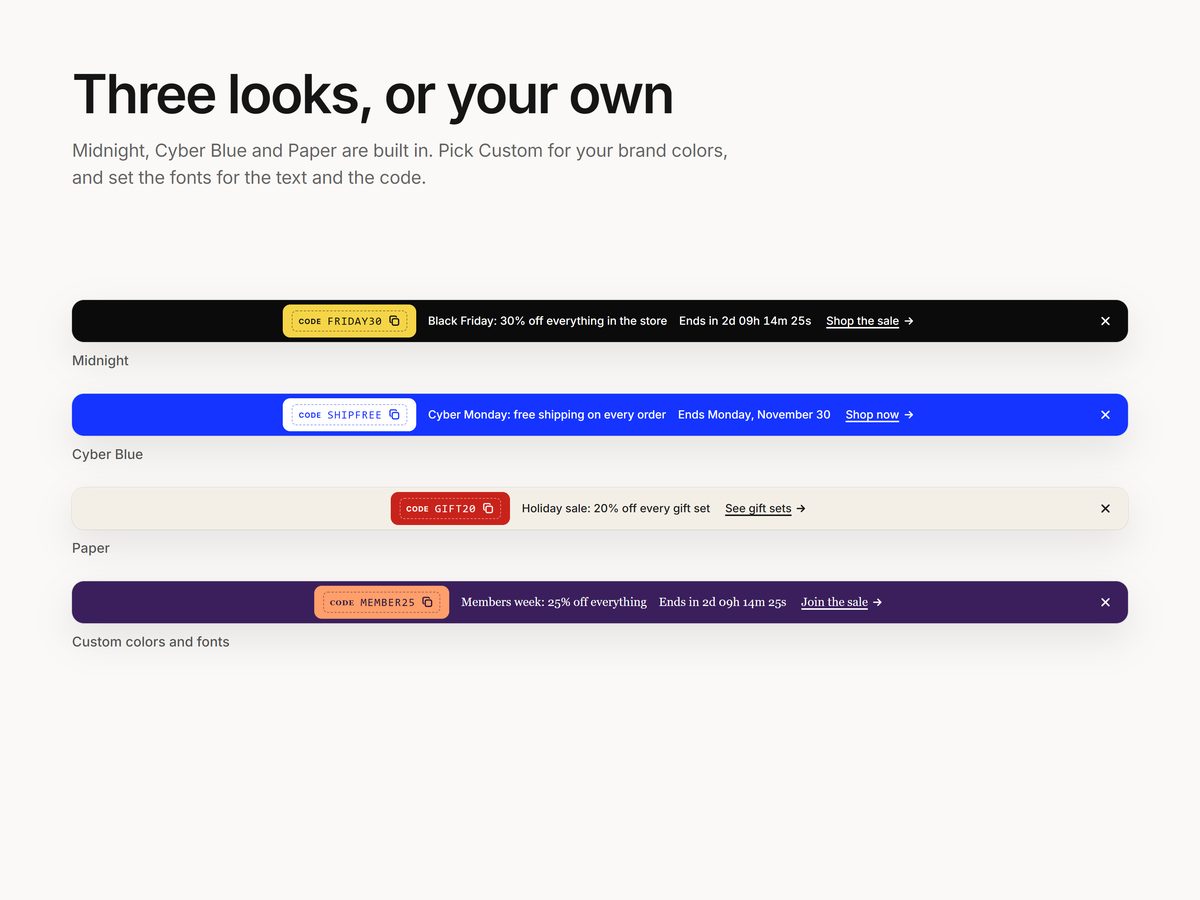
- Midnight, Cyber Blue and Paper looks, or your own colors, plus fonts for the text and the code
- Fits phones, works with a keyboard, has 44 px tap targets, and closes without animation for visitors who turn motion off
Screenshots
A closer look
Details
At a glance
| Type | Framer code component |
|---|---|
| Settings | All in the properties panel |
| Works with | Mouse, touch and keyboard |
| Delivery | Instant link to add it to any Framer project |
| License | Any number of your own or client projects |
| Last updated | November 25, 2026 |
FAQ
Questions
How do I add it to my site?
After checkout you get a link on screen and by email. Copy it, paste it onto your Framer canvas, and the component appears with all its settings in the properties panel. No code needed.
Can I use it in client projects?
Yes. Components can be used in any number of your own or client projects. Reselling or sharing the component or its link isn't allowed.
Does it work on phones and with a keyboard?
Yes. On phones the message sits on top with the code and link below it. It works with a keyboard, has 44 px tap targets, reads the end date to screen readers once instead of every second, and closes without animation for visitors who turn motion off.
Is the countdown real?
Yes. It counts down to the Ends date you set, the same for every visitor, and the bar hides itself when that time comes. It never restarts for new visitors, and it only shows once you set an Ends date.
What if something doesn't work?
Email info@shashankthigale.com and I'll fix it. If it doesn't work as described and I can't fix it, you get a full refund within 14 days of purchase. The refund policy has the details.
More